 scale(2.81 2.81)"%3E%3Cpath d="M 0.511 51.794 c 0.924 6.099 3.076 11.793 6.19 16.83 h 76.599 c 3.114 -5.037 5.266 -10.731 6.19 -16.83 H 0.511 z" style="stroke: none; stroke-width: 1; stroke-dasharray: none; stroke-linecap: butt; stroke-linejoin: miter; stroke-miterlimit: 10; fill: rgb(243,244,245); fill-rule: nonzero; opacity: 1;" transform=" matrix(1 0 0 1 0 0) " stroke-linecap="round"/%3E%3Cpath d="M 69.638 82.649 H 20.362 C 27.441 87.291 35.902 90 45 90 S 62.559 87.291 69.638 82.649 z" style="stroke: none; stroke-width: 1; stroke-dasharray: none; stroke-linecap: butt; stroke-linejoin: miter; stroke-miterlimit: 10; fill: rgb(243,244,245); fill-rule: nonzero; opacity: 1;" transform=" matrix(1 0 0 1 0 0) " stroke-linecap="round"/%3E%3Cpath d="M 6.701 68.624 c 3.472 5.617 8.146 10.408 13.661 14.025 h 49.276 c 5.516 -3.617 10.189 -8.408 13.661 -14.025 H 6.701 z" style="stroke: none; stroke-width: 1; stroke-dasharray: none; stroke-linecap: butt; stroke-linejoin: miter; stroke-miterlimit: 10; fill: rgb(220,48,39); fill-rule: nonzero; opacity: 1;" transform=" matrix(1 0 0 1 0 0) " stroke-linecap="round"/%3E%3Cpath d="M 49.629 0.236 C 48.107 0.08 46.563 0 45 0 C 20.147 0 0 20.147 0 45 c 0 2.309 0.175 4.578 0.511 6.794 h 49.118 V 0.236 z" style="stroke: none; stroke-width: 1; stroke-dasharray: none; stroke-linecap: butt; stroke-linejoin: miter; stroke-miterlimit: 10; fill: rgb(40,57,145); fill-rule: nonzero; opacity: 1;" transform=" matrix(1 0 0 1 0 0) " stroke-linecap="round"/%3E%3Cpath d="M 13.688 23.094 l -1.392 -4.274 l 3.625 -2.635 h -4.483 l -0.273 -0.837 c -1.422 1.621 -2.728 3.344 -3.908 5.158 l -0.843 2.588 l 3.636 -2.643 L 13.688 23.094 z" style="stroke: none; stroke-width: 1; stroke-dasharray: none; stroke-linecap: butt; stroke-linejoin: miter; stroke-miterlimit: 10; fill: rgb(243,244,245); fill-rule: nonzero; opacity: 1;" transform=" matrix(1 0 0 1 0 0) " stroke-linecap="round"/%3E%3Cpath d="M 22.743 9.658 l 3.62 2.631 l -1.388 -4.262 l 3.621 -2.646 h -4.483 l -0.066 -0.204 c -1.414 0.746 -2.787 1.558 -4.107 2.444 l 0.568 0.413 l -1.366 4.255 L 22.743 9.658 z" style="stroke: none; stroke-width: 1; stroke-dasharray: none; stroke-linecap: butt; stroke-linejoin: miter; stroke-miterlimit: 10; fill: rgb(243,244,245); fill-rule: nonzero; opacity: 1;" transform=" matrix(1 0 0 1 0 0) " stroke-linecap="round"/%3E%3Cpolygon points="7.81,40.43 6.42,44.7 10.05,42.06 13.69,44.7 12.3,40.43 15.92,37.79 11.44,37.79 10.05,33.53 8.66,37.79 4.18,37.79 " style="stroke: none; stroke-width: 1; stroke-dasharray: none; stroke-linecap: butt; stroke-linejoin: miter; stroke-miterlimit: 10; fill: rgb(243,244,245); fill-rule: nonzero; opacity: 1;" transform=" matrix(1 0 0 1 0 0) "/%3E%3Cpolygon points="33.21,40.43 31.82,44.7 35.45,42.06 39.09,44.7 37.7,40.43 41.32,37.79 36.84,37.79 35.45,33.53 34.07,37.79 29.58,37.79 " style="stroke: none; stroke-width: 1; stroke-dasharray: none; stroke-linecap: butt; stroke-linejoin: miter; stroke-miterlimit: 10; fill: rgb(243,244,245); fill-rule: nonzero; opacity: 1;" transform=" matrix(1 0 0 1 0 0) "/%3E%3Cpolygon points="33.21,18.82 31.82,23.09 35.45,20.45 39.09,23.09 37.7,18.82 41.32,16.18 36.84,16.18 35.45,11.93 34.07,16.18 29.58,16.18 " style="stroke: none; stroke-width: 1; stroke-dasharray: none; stroke-linecap: butt; stroke-linejoin: miter; stroke-miterlimit: 10; fill: rgb(243,244,245); fill-rule: nonzero; opacity: 1;" transform=" matrix(1 0 0 1 0 0) "/%3E%3Cpolygon points="20.48,29.62 19.09,33.9 22.73,31.26 26.36,33.9 24.97,29.62 28.6,26.99 24.11,26.99 22.73,22.73 21.34,26.99 16.86,26.99 " style="stroke: none; stroke-width: 1; stroke-dasharray: none; stroke-linecap: butt; stroke-linejoin: miter; stroke-miterlimit: 10; fill: rgb(243,244,245); fill-rule: nonzero; opacity: 1;" transform=" matrix(1 0 0 1 0 0) "/%3E%3Cpath d="M 89.414 37.768 H 49.629 v 14.025 h 39.86 C 89.825 49.578 90 47.309 90 45 C 90 42.537 89.794 40.124 89.414 37.768 z" style="stroke: none; stroke-width: 1; stroke-dasharray: none; stroke-linecap: butt; stroke-linejoin: miter; stroke-miterlimit: 10; fill: rgb(220,48,39); fill-rule: nonzero; opacity: 1;" transform=" matrix(1 0 0 1 0 0) " stroke-linecap="round"/%3E%3Cpath d="M 49.629 37.768 h 39.785 c -0.988 -6.111 -3.209 -11.806 -6.395 -16.83 H 49.629 V 37.768 z" style="stroke: none; stroke-width: 1; stroke-dasharray: none; stroke-linecap: butt; stroke-linejoin: miter; stroke-miterlimit: 10; fill: rgb(243,244,245); fill-rule: nonzero; opacity: 1;" transform=" matrix(1 0 0 1 0 0) " stroke-linecap="round"/%3E%3Cpath d="M 49.629 20.938 h 33.389 c -3.587 -5.656 -8.397 -10.454 -14.064 -14.025 H 49.629 V 20.938 z" style="stroke: none; stroke-width: 1; stroke-dasharray: none; stroke-linecap: butt; stroke-linejoin: miter; stroke-miterlimit: 10; fill: rgb(220,48,39); fill-rule: nonzero; opacity: 1;" transform=" matrix(1 0 0 1 0 0) " stroke-linecap="round"/%3E%3Cpath d="M 49.629 0.24 v 6.673 h 19.326 C 63.248 3.316 56.681 0.963 49.629 0.24 z" style="stroke: none; stroke-width: 1; stroke-dasharray: none; stroke-linecap: butt; stroke-linejoin: miter; stroke-miterlimit: 10; fill: rgb(243,244,245); fill-rule: nonzero; opacity: 1;" transform=" matrix(1 0 0 1 0 0) " stroke-linecap="round"/%3E%3C/g%3E%3C/svg%3E)
Utility bill statement created in 10 minutes*
For your rented condo or house: drop the statement from your owners' association (HOA) or the year's invoices and the tenancy agreement into the utility bill assistant, and CIRO turns them into the utility bill statement for your tenant.
- €20 one-off
- No subscription
- No credit card required
* if you have your HOA statement at hand
Create your 2025 utility bill statement
- 1Documents
- 2Check
- 3Allocate
- 4PDF
Drop the service charge statement, property tax assessment, invoices and tenancy agreement hereUpload service charge statement, property tax assessment, invoices or tenancy agreement
Condominium: the statement from your property manager and the property tax assessment from the municipality. House: the invoices for the year. Plus the tenancy agreement, all at once if you like.
Invoices
Service charge statement
Tenancy agreement
No sign-up · Your file is sent to our AI provider in the EU for analysis, read there and not stored. What happens to your file
GDPR-compliant
Built for German tenancy law
Encrypted data storage
German company
Before you upload
Keep the deadline in view
The statement must reach your tenant no later than twelve months after the end of the billing period (§ 556(3) BGB). After that, you generally can no longer claim a back payment.
CIRO doesn't store your documents
The utility bill assistant only reads your documents and doesn't keep them. Whatever you create in it is deleted automatically after 30 days unless you carry it over into an account.
What CIRO reads
- Amounts and tax rates
- Cost type and how it is allocated
- What you may pass on
- Labor shares for your tenant's tax return

„We developed every rule in the utility bill assistant together: which item is recoverable under Section 2 BetrKV, which deadline applies and what really belongs in the utility bill. Our principle: Excel adds up whatever you type in – it won't tell you whether an item is recoverable or the deadline still open. The assistant covers exactly that, and names the rule behind it.“
Denise Sonnenschein
Attorney for German tenancy law with her own firm · co-develops the rules of the utility bill assistant
On Instagram, Denise explains German tenancy law in short videos, for example on recoverable costs and deadlines.
View @ciro.immobilienThe guidance of the utility bill assistant is no substitute for legal advice in individual cases.
Your statement holds up when your tenant does the math
Most disputes come down to two things: items that may not be passed on, and the wrong allocation key. CIRO assigns both while you create the statement and recalculates every share.
Done in about 10 minutes*
* with complete documents.
The utility bill assistant
Checked against
the 17 cost types in Section 2 BetrKV
Documents
PDF or photo, several at once
Recalculated items
every single one
Pass on or bear yourself
assigned per item
Labor costs for your tenant's tax return (Section 35a EStG)
per item, where the invoice shows them
Price
€20 one-time
incl. VAT, per statement
Click through an example from Munich
All the steps of the assistant, filled with data from a rented apartment in Munich. This example is view-only: you can't enter, upload or pay anything here. You create your own statement in the real assistant.
Documents
2 documents
Property & period
Open
Tenant overview
Open
Cost overview
Open
Allocation keys
Not needed
Meter readings
Not needed
Billing assistant
Open
Allocation
Open
Sender & bank details
Open
Payment
€20
Completion
Open
2 documents
Your documents
CIRO reads every file right away and fills in the next steps. You can also enter everything yourself without documents.
What goes in here
- Service charge statement or the invoices for the year · read
CIRO takes the costs from them. - Tenancy agreement · read
CIRO takes the tenants, start date and advance payment from it.
Already applied
Hausgeldabrechnung_2025_WE3.pdf
Service charge statement · €3,172.74
Mietvertrag_Wagner.pdf
Tenancy agreement with Lena Wagner
For condos and houses
All you need are the documents you already get: for a condo, the HOA statement from your HOA manager; for a house, the year's invoices. CIRO takes what you may pass on, allocates the costs and creates the statement as a PDF. You don't have to create an account.Updated: 10/19/2026
A condo without rental management
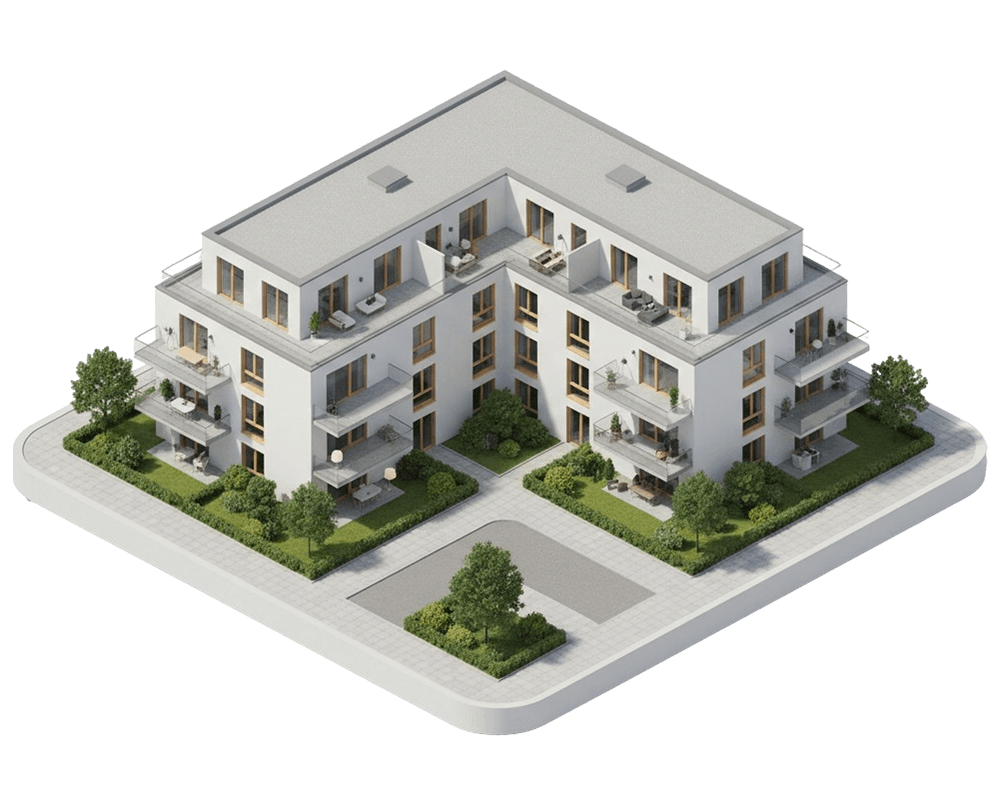
Your HOA manager only sends you the HOA statement. The statement for your tenant you either do yourself or pay a rental manager (Sondereigentumsverwaltung, SEV) to do. With CIRO you drop the HOA statement into the utility bill assistant. CIRO takes only the costs you may pass on, recalculates your unit's share and creates the statement for your tenant. It costs a one-time €20 per statement.

A rented house with no HOA
Without an HOA, nobody sends you an HOA statement. Instead you drop the year's invoices and notices into the utility bill assistant: water and sewage, waste, property tax, building insurance, chimney sweep. CIRO reads the amount and period of every invoice and shows you what you may pass on.
Calculators for your utility statement
Allocation keys, heating costs, the CO₂ split and deadlines: check single items before you create the full statement.
- Free
Allocation key
Allocate operating costs by living space, units, occupants, consumption or co-ownership shares.
- Free
Heating cost split
Split heating costs by consumption and living space, as the Heating Costs Ordinance requires.
- Free
CO₂ cost split
Which share of CO₂ costs you carry as a landlord under the tier model.
- Free
Statement deadline
When the utility bill statement must reach the tenant and how long they can object.
- Free
Utility advance payments
The right new monthly utility advance payment after the utility bill statement.
Creating a utility bill statement: the guide for landlords
Which documents you need, what you can pass on, how to allocate and which deadlines apply. For a rented condo and a single-family house.
Contents
What is a utility bill statement?
Once a year you compare the actual operating costs of your rented apartment or house with your tenant's monthly advance payments. The result is a back payment or a refund. You may only pass on operating costs within the meaning of § 556 BGB and the Operating Costs Ordinance.
If your tenant pays a flat rate instead of advance payments, there is no statement.
Which documents do I need for the utility bill statement?
- Condominium: the HOA statement from your HOA manager, the metering service's heating statement (if it comes separately) and your property tax notice.
- House: the year's invoices and notices, for example for water, waste, property tax, insurance and chimney sweep.
- In both cases: your rental agreement and the amount of the advance payments.
Which costs can I pass on?
You may pass on the 17 cost types listed in § 2 of the Operating Costs Ordinance if your rental agreement provides for it. For the first 16, a reference to the ordinance is enough. Other operating costs (no. 17), for example servicing smoke detectors, must be named individually in the rental agreement.
- Property tax
- Water supply
- Drainage (sewage)
- Heating
- Hot water
- Combined heating and hot water systems
- Lift
- Street cleaning and waste disposal
- Building cleaning and pest control
- Garden maintenance
- Lighting
- Chimney sweeping
- Property and liability insurance
- Caretaker
- Shared antenna and in-house distribution system
- Laundry facilities
- Other operating costs
You may not pass on management costs, the maintenance reserve, repairs or the costs of vacant units. Servicing the heating is recoverable, repairing it is not. Cable TV from a bulk contract may no longer be passed on since July 1, 2024.
How do I turn the HOA statement into a utility bill statement?
The HOA statement is between your HOA and you, not your tenant. That's why you can't simply forward it. Five steps turn it into the utility bill statement:
- Check that the period of the HOA statement matches your billing period.
- Remove what you bear yourself: management fee, account charges, maintenance reserve and repairs.
- Take the items your rental agreement lets you pass on and add property tax from your own notice. It is usually not in the HOA statement.
- Allocate using the key in your rental agreement; if it says nothing, the HOA key. Take heating and hot water from the metering service's statement.
- Deduct the advance payments your tenant actually made. The result is a back payment or a refund.
The utility bill assistant takes these steps off your hands: it reads the HOA statement, marks what you bear yourself and calculates the rest for your tenant.
What from the HOA statement can I pass on?
You may pass on:
- water and sewage, waste, cleaning, garden maintenance, common electricity, lift, insurance, chimney sweep
- heating and hot water per the metering service
- caretaker, without the share for repairs and administration
- servicing of heating, hot water and lift; other servicing only if your rental agreement names it
You bear yourself: management fee, account charges, maintenance reserve and repairs.
How do I bill a rented house?
If your tenant lives in the house alone, they bear the agreed costs in full and you don't need an allocation key. Invoices with their own period, for example March to February, are assigned by one of two principles: the accrual principle puts them in the year the service was provided, the cash principle in the year you paid them. Both are allowed; the Federal Court of Justice approved the cash principle (VIII ZR 49/07). Within one statement you stick to one principle. Heating costs always follow the consumption period. The utility bill assistant reads period and amount of every invoice.
How do I bill if I live in the house myself?
If you rent out a granny flat or the second unit of your two-family house, you split the costs between you and your tenant, usually by living space. With no more than two units, one of which you live in, an agreement in the rental agreement takes precedence over the Heating Costs Ordinance for heating costs (§ 2 HeizkostenV).
What applies when tenants change during the year?
If a tenant moves out during the year, each tenant gets their own statement for their rental period. You usually split the costs to the day by rental period. Heating and water are allocated by the meter readings at the change, so have the meters read when the tenant moves out. You bear the costs for days without a tenant yourself. The utility bill assistant calculates the time shares for you.
Which allocation key applies?
- Living space: the statutory default if the rental agreement says nothing (§ 556a para. 1 BGB). For a condominium, the HOA key applies instead, see below.
- Consumption: by meter reading, if consumption is recorded and the rental agreement says nothing else.
- Persons or units: for example for waste or water without its own meter.
- The HOA key: for a condominium it also applies to your tenant if the rental agreement says nothing; if it is obviously unfair, living space applies (§ 556a para. 3 BGB).
If several parties live in the building, heating and hot water are allocated 50 to 70 percent by consumption, the rest by living space (Heating Costs Ordinance). Exactly 70 percent is mandatory for heating if the building does not meet the 1994 thermal insulation ordinance, is heated with oil or gas, and the visible pipes are mostly insulated. If you live in one of no more than two units yourself, you may agree something else in the rental agreement.
What does a utility bill statement look like with figures?
An example: your unit has 68 m², the whole building 680 m². 2 of the building's 20 residents live in the unit, and according to the meter your tenant used 40 of 700 m³ of cold water. They paid 12 × €150 in advance, so €1,800.
| Cost type | Allocated by | Calculation | Your tenant |
|---|---|---|---|
| Building insurance | living space | €2,400 × 68 / 680 m² | €240.00 |
| Garden maintenance | living space | €1,500 × 68 / 680 m² | €150.00 |
| Waste collection | persons | €1,800 × 2 / 20 | €180.00 |
| Cold water | meter | €2,900 × 40 / 700 m³ | €165.71 |
| Heating and hot water | metering service | per heating statement | €820.00 |
| Property tax | own notice | per notice | €168.00 |
| Total | €1,723.71 |
That totals €1,723.71. After deducting the €1,800 advance payments, your tenant gets €76.29 back.
Who pays the CO₂ costs of heating?
If the building is heated with gas, oil or fossil district heating, you share the CO₂ price with your tenant: the more CO₂ the building emits per square meter, the more you bear (CO₂ Cost Allocation Act, for statements from 2023). If the split is missing, your tenant may reduce their heating share by 3 percent (§ 7 para. 4 CO2KostAufG). This doesn't apply to heat pumps.
How much you bear depends on the building's CO₂ emissions per square meter of living space and year. The law has ten tiers: below 12 kg CO₂ per m², your tenant bears the CO₂ costs alone; from 52 kg you bear 95 percent. The CO₂ quantity and costs are on the fuel invoice. You calculate the value per m² from them; often the metering service does this in the heating cost statement.
| CO₂ per m² and year | You bear | Your tenant bears |
|---|---|---|
| below 12 kg | 0 % | 100 % |
| 12 to below 17 kg | 10 % | 90 % |
| 17 to below 22 kg | 20 % | 80 % |
| 22 to below 27 kg | 30 % | 70 % |
| 27 to below 32 kg | 40 % | 60 % |
| 32 to below 37 kg | 50 % | 50 % |
| 37 to below 42 kg | 60 % | 40 % |
| 42 to below 47 kg | 70 % | 30 % |
| 47 to below 52 kg | 80 % | 20 % |
| from 52 kg | 95 % | 5 % |
What must the utility bill statement contain?
Your tenant must be able to follow the statement. According to the Federal Court of Justice, it must contain at least:
- The billing period
- The total costs per cost type
- The allocation key, explained where necessary
- The calculation of your tenant's share
- The deduction of their advance payments
If a detail is missing, the statement is invalid in full or for that cost type.
By when must the statement reach my tenant?
- Billing period: no more than twelve months, usually the calendar year.
- Billing deadline: the statement must reach your tenant twelve months after the end of the period, for the calendar year on December 31 of the following year. What counts is receipt, not sending (§ 556 para. 3 BGB). After that you generally can no longer claim a back payment; you still pay out a refund.
- After sending: your tenant can raise objections and inspect the receipts until the end of the twelfth month after receipt.
The deadline keeps running even if the HOA statement arrives late. Request it early and remind the HOA manager in writing. A back payment remains possible only if you are not responsible for the delay and then settle within three months. You have to prove that in a dispute.
How do I send the utility bill statement?
The statement doesn't need a signature; it only has to arrive. Email works if your tenant has given you their address for such letters. But you must be able to prove receipt: shortly before the deadline, use a messenger or registered mail with proof of delivery into the letterbox.
What happens with back payment, refund and advance payments?
Give your tenant a deadline for a back payment, 30 days is usual. You pay out a refund. With the statement you may adjust the advance payments in text form to the actual costs, up or down (§ 560 para. 4 BGB). CIRO suggests the new amount.
Which utility costs can my tenant deduct from their taxes?
Your tenant can deduct 20 percent of the labor costs for caretaker, cleaning or garden maintenance from their taxes if the labor share is shown in the statement. CIRO shows it per item as far as your invoices state it.
Frequently asked questions
No. The utility bill assistant runs entirely in your browser, without registration. You add your documents, build the statement and receive the finished document by email. You only need a CIRO account if you want to manage your properties long term or build next year's statement from this year's data. Then you carry everything you created over into your account.
Yes, that's what the utility bill assistant is for. For rented condos, a rental management service (Sondereigentumsverwaltung, SEV) handles the tenant's utility bill statement, among other things, for ongoing fees. With the assistant you do this step yourself: you upload the HOA statement from your HOA manager, CIRO separates recoverable from non-recoverable items under § 2 BetrKV, re-checks every share and creates the finished tenant document. That costs €20 per statement, with no SEV contract and no subscription.
The utility bill assistant reads your documents once and shows you the result. We don't keep the files after this analysis. Only when you go on to build the statement do we create the data it needs, GDPR-compliant on European servers. If you don't carry it over into a CIRO account, we delete everything automatically after 30 days. Your access link to the finished document is valid for the same period.
Trying it out, having your documents read and building the statement is free. You only pay at the very end, when you have the finished statement for your tenants created: a one-off €20 per statement, with no subscription and no account. A plan pays off if you bill several apartments or keep track of rent and receipts in CIRO all year; the statement is then included in your plan. When you switch, everything you created here comes with you.
Yes, with a spreadsheet or template. Then you check yourself which costs you may pass on, calculate every share and make sure all mandatory details are included. With CIRO, building the statement is free: you upload your documents to the utility bill assistant and immediately see what you may pass on. The finished statement costs €20.
Which costs you may pass on is governed by the Operating Costs Ordinance (BetrKV). The allocation follows § 556a BGB and the Heating Costs Ordinance, including pro-rata periods for tenant changes. The document is built to contain the details the Federal Court of Justice names as the minimum content. Whether the figures are right depends on your documents. In addition, the utility bill assistant reviews the statement you create for anomalies and gives you guidance. We develop the rule set behind it together with Denise Sonnenschein, an attorney for German rental law with her own firm. The guidance is not legal advice for your individual case.
Start with your HOA statement or your invoices
Reading and checking your documents is free. You only pay for the finished document: €20 one-time, no account needed.